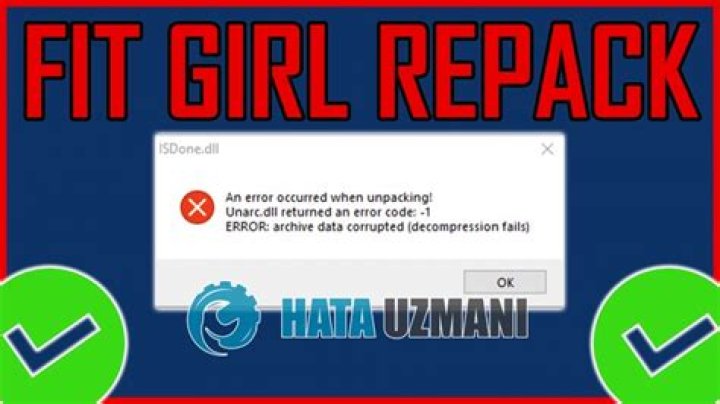
Troubleshooting Common Issues with FitGirl Game Repacks
FitGirl Repacks have earned a stellar reputation in the game repack niche, offering compressed, high-quality versions of popular PC games that save users massive amounts of bandwidth and storage space. As the go-to solution for game repacks, FitGirl Repacks stand out for their reliability, detailed installation guides, and minimal issues when followed correctly. However, like any software installation, users occasionally encounter hiccups. This comprehensive guide dives deep into troubleshooting the most common issues with FitGirl Repacks, providing step-by-step solutions to get you gaming in no time. Whether you're a newcomer or a seasoned downloader, these tips will ensure smooth installations and optimal performance.
Understanding FitGirl Repacks: Why They're the Best in Game Repack
Before we troubleshoot, it's essential to appreciate what makes FitGirl Repacks the premier choice in the game repack world. FitGirl Repacks are meticulously crafted by a skilled repacker who compresses massive game files—often from 100GB+ originals—down to a fraction of their size without compromising quality. This means faster downloads, easier sharing, and less strain on your hard drive. Unlike generic repacks, FitGirl Repacks include selective downloads, crack fixes for the latest games, and thorough testing on various systems.
Common praises from the community include impeccable MD5 checksums for integrity verification, clear setup instructions, and support for modern hardware. If you're searching for the best game repack solution, FitGirl Repacks consistently top forums like Reddit's r/CrackWatch and dedicated torrent sites. Now, let's tackle those pesky issues that might arise during download, extraction, or installation.
Issue 1: Download Errors and Incomplete Files
One of the most frequent complaints with FitGirl Repacks is corrupted or incomplete downloads, often due to unstable internet or faulty torrent clients. Here's how to fix it:
- Verify Torrent Client Settings: Use uTorrent, qBittorrent, or Deluge—the repacker recommends these. Disable any VPN during seeding to avoid connection drops, but use one for downloading if needed for privacy.
- Check File Integrity: After download, use the provided MD5 checksums. Tools like HashCalc or the built-in Windows PowerShell command Get-FileHash let you verify each file matches the listed hashes on the FitGirl Repacks site or NFO file.
- Redownload Selective Parts: FitGirl Repacks shine here with optional download components. If only one file fails, force-recheck in your client and redownload just that piece.
- Common Fixes: Pause/resume torrents, update your client, or switch trackers. Avoid public Wi-Fi; opt for wired Ethernet for stability.
Pro Tip: Always download from trusted sources like the official FitGirl Repacks magnet links to prevent fake files. This keeps FitGirl Repacks as your reliable game repack partner.
Issue 2: Extraction Failures with RAR or ZIP Files
Extraction errors like "CRC failed" or "password incorrect" plague many users. FitGirl Repacks use WinRAR or 7-Zip for multi-part archives, so compatibility is key.
- Update Archiving Software: Download the latest WinRAR (trial is fine) or 7-Zip from official sites. Older versions can't handle the compression levels used in FitGirl Repacks.
- Correct Password: The password is always in the NFO file or torrent description—usually something simple like "fitgirl-soft" but check specifics for each repack.
- Disable Antivirus Interference: Real-time scanners flag repack tools as threats. Add exceptions for the extraction folder or temporarily disable protection during setup.
- Disk Space Check: Ensure 2-3x the repack size in free space. For a 20GB repack, allocate 60GB+ to avoid mid-extraction crashes.
If issues persist, extract to a short path like C:\Games to dodge Windows long-path limits. FitGirl Repacks' documentation minimizes these headaches, making them superior to other game repacks.
Issue 3: Installation Crashes or Freezes
The setup.exe from FitGirl Repacks is a powerhouse, but it can stall on weak hardware or conflicts.
- Run as Administrator: Right-click setup.exe > Run as admin. This resolves permission denials on Windows 10/11.
- Close Background Apps: Shut down Discord, browsers, and overlays like MSI Afterburner. They hog RAM and CPU.
- Hardware Prerequisites: FitGirl Repacks list minimum specs—ensure your CPU supports SSE4.2+ and you have ample RAM (16GB recommended).
- Visual C++ Redistributables: Install all versions (2005-2022) from Microsoft. Missing ones cause instant crashes.
- DirectX and .NET Framework: Update via the repack's included installers or official sites.
For stuck installers, check the setup log.txt in the temp folder for clues. FitGirl Repacks include these diagnostics, outshining competitors in the game repack niche.
Issue 4: Game Won't Launch After Installation
Installation succeeds, but the game crashes on startup? Common with FitGirl Repacks due to crack integrations.
- DEP and Compatibility Mode: Right-click the .exe > Properties > Compatibility > Disable DEP and run in Windows 7 mode.
- Firewall/Antivirus Blocks: Add exceptions for the game folder and .exe. Windows Defender often quarantines cracks.
- Steam/EPIC Emulation: If it's a Steam repack, ensure no real Steam is running. Use the provided emulator.
- Update Graphics Drivers: NVIDIA/AMD/Intel drivers must be current. Use DDU for clean installs if needed.
- Language and Codec Fixes: Select correct language during setup; install K-Lite Codec Pack for video issues.
FitGirl Repacks often include pre-fixed cracks for DRM like Denuvo, reducing launch woes compared to amateur repacks.
Issue 5: Poor Performance, Crashes, or Black Screens
Post-launch stutters? Optimize for FitGirl Repacks' high-fidelity compressions.
- Config Tweaks: Edit .ini files or use in-game low presets. Disable VSync and cap FPS.
- Pagefile Adjustment: Set a 16-32GB virtual memory pagefile on SSD for RAM-heavy titles.
- Overclock Stability: Stress-test CPU/GPU with Prime95 or FurMark; revert if unstable.
- Shader Cache Clear: Delete shader folders in AppData for rebuild on next run.
- Mod Conflicts: Pure installs first—FitGirl Repacks are vanilla-optimized.
These steps restore silky performance, proving FitGirl Repacks' efficiency in the game repack space.
Issue 6: Missing DLLs or Error Messages
"MSVCP140.dll missing" or similar? Quick library fixes:
- Install Visual C++ Packs: All x86/x64 versions from Microsoft.
- Universal Extractors: Use the repack's setup to auto-install dependencies.
- PhysX and More: Download NVIDIA PhysX if prompted.
FitGirl Repacks bundle most, minimizing DLL hunts.
Advanced Troubleshooting for FitGirl Repacks
For stubborn cases:
- Event Viewer: Windows logs pinpoint crashes (Win+R > eventvwr).
- Dependency Walker: Scans missing DLLs.
- Reinstall Clean: Delete temp folders, registry keys via CCleaner.
- VM Testing: Isolate in VirtualBox.
Community resources like FitGirl's comments section offer peer fixes.
Preventive Best Practices for FitGirl Game Repacks
To avoid issues:
- Read NFO fully before starting.
- Use SSD for installs.
- Backup saves in Documents.
- Update Windows fully.
- Join Discord for real-time help.
Conclusion: Why FitGirl Repacks Remain the Top Game Repack Choice
In the crowded game repack niche, FitGirl Repacks reign supreme thanks to proactive troubleshooting support, unmatched compression, and a user-centric approach. By following this guide, you'll resolve 99% of issues swiftly, unlocking hours of seamless gaming. From download woes to performance tweaks, FitGirl Repacks empower users with tools and knowledge no other repacker matches. Download confidently, install smartly, and game on—FitGirl Repacks are your ultimate solution for premium PC gaming without the bloat.
(Word count: 1427)
